
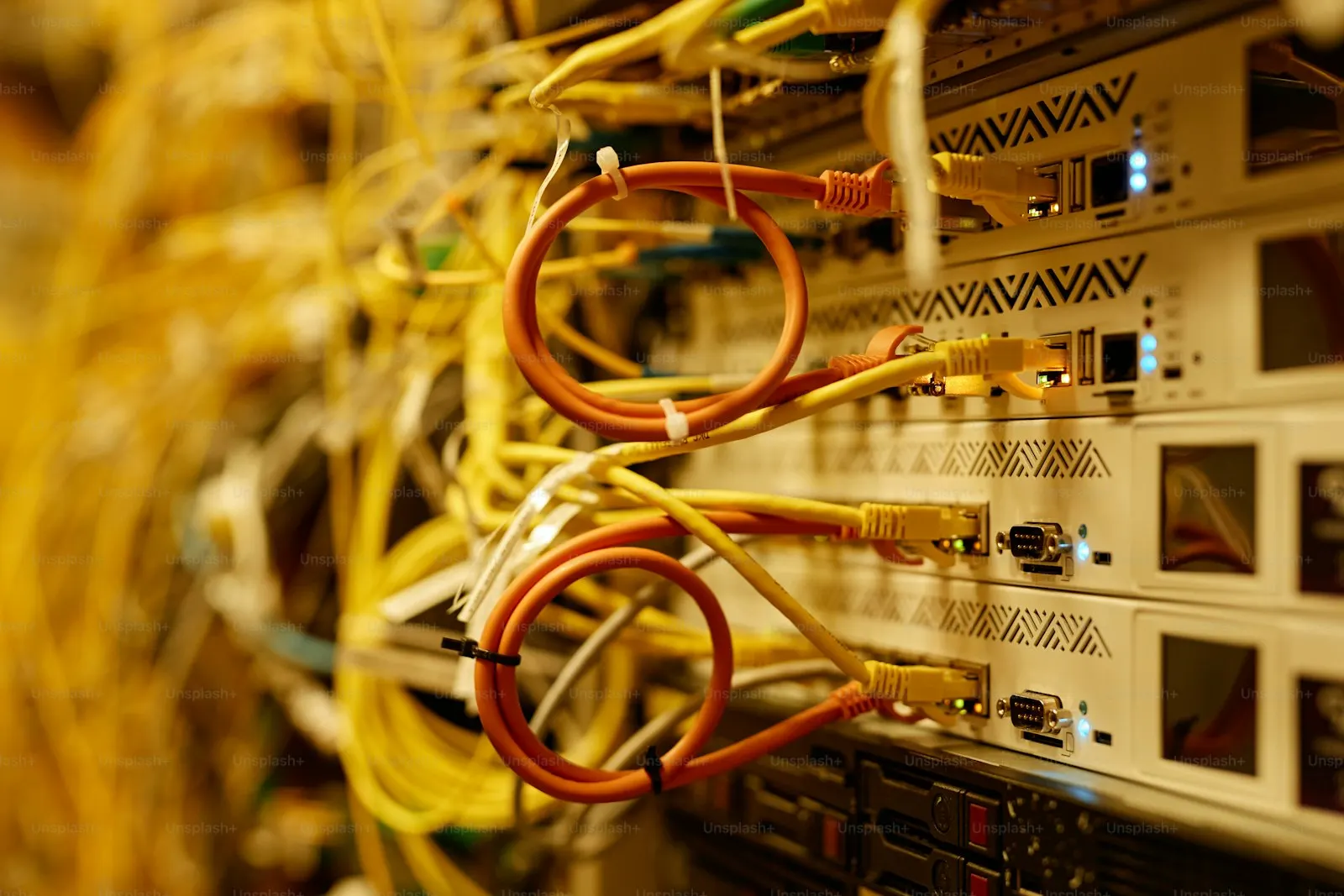
Business Wi-Fi & Network Installation on the South Shore, MA
Power Up Boston installs business Wi-Fi and office networks on the South Shore of Massachusetts, working from Plymouth out to Cape Cod and Greater Boston. We survey the building, cable and mount the access points, install the firewall and switches, separate guest traffic from business traffic, and support the network afterward.
Good Wi-Fi is mostly a wiring and placement job. An access point works well when it is on a cable, in the right spot, and connected to a switch and firewall that were chosen for the building. We do all of those parts, so there is no gap between the installer and the people who support it.
Get a Free Business Wi-Fi & Networking Assessment
We'll review your current setup, identify immediate risks, and recommend next steps in plain English.
The problem
Signs the office network needs work
These are the complaints we hear most before a Wi-Fi or network project:
- There are rooms where video calls freeze and the card reader times out.
- The Wi-Fi shows full bars but pages stall, especially when the office is busy.
- The only network equipment is the router the internet provider supplied, plus a few plug-in extenders.
- Customers and guests are on the same network as the point of sale, the printers, and the file shares.
- Nobody knows the admin password, and the Wi-Fi password has not changed in years.
- The warehouse, yard, patio, or second building has no usable signal.
What you get
What's included
A network project covers everything between the internet provider's handoff and the device in someone's hand.
On-site survey
We walk the building, note wall and ceiling construction, find where people and devices are concentrated, and measure the signal you have now. Access point locations come from that walk-through, not from a floor-area formula.
Access points, cabled and mounted
Business access points on ceilings or high on walls, each on its own network cable back to the switch and powered over that cable. We run, test, and label each drop.
Firewall and gateway
A business firewall replaces or sits behind the provider's router and controls what comes in and out. Where the internet connection is critical, we add a second connection with automatic failover.
Switches and the network closet
Switches sized for the port count and the power the access points, phones, and cameras draw, mounted in a rack or cabinet with labeled patching.
Separate networks for separate jobs
Staff devices, guests, cameras, phones, and payment terminals each get their own network segment with rules about what can talk to what.
Guest Wi-Fi
A guest network that reaches the internet and nothing else, with a password you can change without touching staff devices.
Warehouses, outdoor areas, and second buildings
Outdoor-rated access points for yards and patios, and fiber or a point-to-point wireless link to connect a detached building.
Documentation and monitoring
You get a network diagram, device list, and the admin credentials. We can monitor the equipment and keep firmware current afterward.
At a glance
- On-site coverage survey
- Access points cabled & mounted
- Business firewall & internet failover
- Switches & network closet cleanup
- Separate staff, guest, camera & phone networks
- Guest Wi-Fi isolated from business systems
- Warehouse, outdoor & building-to-building links
- Network diagram, documentation & monitoring
- 1
A short call
The size and type of building, how many people and devices, what is failing today, and who your internet provider is.
- 2
Free on-site assessment
We survey coverage, inspect the existing cabling and equipment, and check where the internet service enters the building.
- 3
Design and written quote
A plan showing access point locations and cable runs, an itemized equipment list, and labor.
- 4
Cabling and installation
We run cable, mount access points, install the firewall and switches, and build the network segments. Cutover from the old network is scheduled with you so the business keeps working.
- 5
Test and hand over
We walk the building again to confirm coverage and roaming, then hand over the documentation and show you how to manage guest access.
Why local
Why a local South Shore network installer
Power Up Boston has been based at 24 Samoset St in Plymouth, MA since 2009. In 17+ years we have worked with 600+ businesses across 68 communities on the South Shore, Cape Cod, and Greater Boston, and we hold a 4.9/5 rating from 134 Google reviews (as of November 2026). Call or text (508) 617-1310 and you reach our team in Plymouth.
South Shore buildings vary: converted houses used as offices, older downtown blocks with brick and plaster, steel warehouses, and restaurants with seasonal patios. Each one blocks Wi-Fi differently, which is why we survey in person before quoting. When something needs attention later, the technician who comes out already knows where the cable runs are.
“The team at Powerup Boston has provided excellent service for both my computing and network needs. They set up all of the business's computers and verified all network settings, which made everything run smoother. I have also had them clean up some personal computers as well. I would highly reccomend their services!”
What to have ready
- A floor plan or fire-exit diagram, even a rough one.
- Your internet provider, plan, and where their equipment sits.
- A count of staff and of devices that depend on the network: computers, phones, printers, card terminals, cameras.
- Areas where coverage matters most, and areas where it fails now.
- Access to ceilings, the network closet, and any landlord rules on cabling.
Common business Wi-Fi mistakes
- Adding plug-in extenders or mesh units instead of cabled access points. Each wireless hop costs speed.
- Putting access points where the cable was easy to run instead of where the people are.
- Installing too many access points at full power, so devices cling to a distant one and roam badly.
- Leaving guests, payment terminals, and office computers on one network.
- Relying on the internet provider's router as the firewall, the switch, and the Wi-Fi for a whole office.
- Keeping no record of the settings, so every change starts with guesswork.
What drives the cost
The price of a network install depends on the size and construction of the building, how many access points it takes to cover it, how much new cable is required and how hard it is to run, and the firewall and switches the device count calls for. The on-site assessment is free, and the quote you receive is written and itemized so you can see equipment, cabling, and labor separately.
How many access points does my office need?
It depends on the wall and ceiling construction, the layout, and how many devices connect in each area, more than on floor area alone. We work it out from an on-site survey and show you the proposed locations on a plan before quoting.
Why does our Wi-Fi drop even when the signal shows full bars?
Signal bars show how well the device hears the access point, not how much capacity is available. Drops with a strong signal usually come from interference between access points or neighbors, too many devices on one unit, a wireless extender in the path, or a problem with the router or internet line behind it.
Can you set up guest Wi-Fi that is separate from our business network?
Yes. Guests get their own network that reaches the internet only and cannot see your computers, printers, or payment terminals. It is one of the first things we set up on any install.
Do you run the network cabling as well?
Yes. We run, terminate, test, and label the cable for access points, desks, cameras, and phones. Larger cabling projects are covered on our structured cabling page.
Do we have to replace the router from our internet provider?
Not always. The provider's equipment often stays as the modem while a business firewall behind it takes over routing, security, and Wi-Fi. We check what your provider allows during the assessment.
Can you cover a warehouse, yard, or second building?
Yes. High ceilings, metal racking, and outdoor areas need access points chosen and aimed for those conditions, and a detached building is linked by fiber or a point-to-point wireless bridge. We survey those areas specifically.
How much does business Wi-Fi installation cost?
Cost depends on building size and construction, the number of access points, the cabling required, and the firewall and switches needed. We assess the site at no charge and give you a written, itemized quote.
Will the installation disrupt our workday?
Most cabling and mounting happens around your staff without taking the network down. The switch from the old network to the new one is the only real interruption, and we schedule it with you in advance.
Related Guides
Helpful reads that support this service.
Pair This With
Most businesses combine this with these related services.
Local Service Areas
Towns where this service is frequently requested. See all 68 communities on our service areas page.
Need Reliable IT Support in Plymouth or the South Shore?
Schedule a free on-site assessment. We’ll review your IT, cybersecurity, and physical security setup, then give you a clear plan with practical next steps.
Trusted since 2009 · 4.9-star rated on Google · On-site support across Plymouth, South Shore, Cape Cod & Greater Boston